Bringing a Omniverse Digital Twin to Apple Vision Pro
NVIDIA Omniverse · visionOS · Swift · CloudXR · Foveated Streaming · Houdini · USD · MTLX · RealityKit
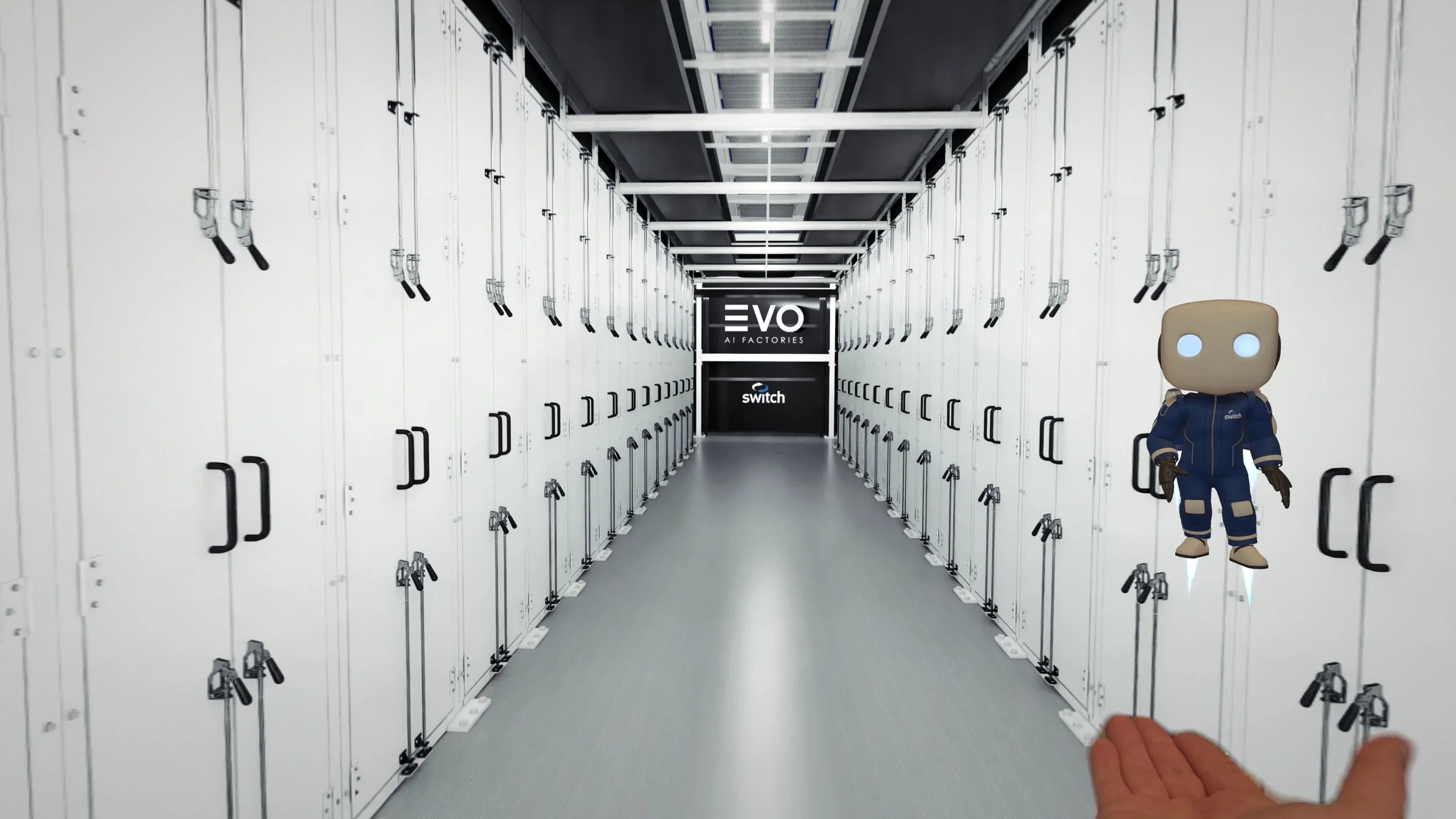
When Switch wanted to showcase their EVO AI Factory at NVIDIA's GTC conference, the brief was ambitious: take a massive, photorealistic Omniverse digital twin of a real data center and bring it to life inside Apple Vision Pro — complete with a guided tour, spatial audio, live telemetry, and a small robot with rocket boots hovering above your hand.
March 2026
A new technology, tested in the real world
At the core of this project is something genuinely new: NVIDIA CloudXR 6.0's native visionOS integration, including dynamic foveated streaming for Apple Vision Pro. Foveated streaming renders at full resolution only where the user is actually looking, reducing the enormous bandwidth and compute cost of streaming high-fidelity stereo imagery to a headset in real time — making experiences like this one viable at all.
Trifork and Switch were among only a handful of teams worldwide to implement it, which required close collaboration with both Apple and NVIDIA. The result was featured in NVIDIA's official blog as a real-world example of the technology in production.
How the rendering works
Apple Vision Pro is a powerful standalone spatial computer, but rendering a building-scale photorealistic digital twin in real time is beyond what any wearable headset can currently do locally. The standard approach for this kind of experience is to offload the heavy rendering to a dedicated workstation — in this case a machine with an RTX 6000 Pro Ada — which renders the Omniverse scene and streams it to the AVP via CloudXR over a local WiFi connection.
This split architecture is worth understanding because it defines what each part of the system is responsible for. The workstation handles everything computationally expensive: the full Omniverse scene, lighting, geometry, materials. The AVP handles everything that requires understanding the real world: movement tracking, head rotation, hand tracking, spatial audio, and the SwiftUI interface panels that float in space alongside the streamed environment. All of that tracking data flows continuously back to Omniverse, keeping the rendered viewpoint perfectly in sync with where the user is actually looking and moving.
ORB
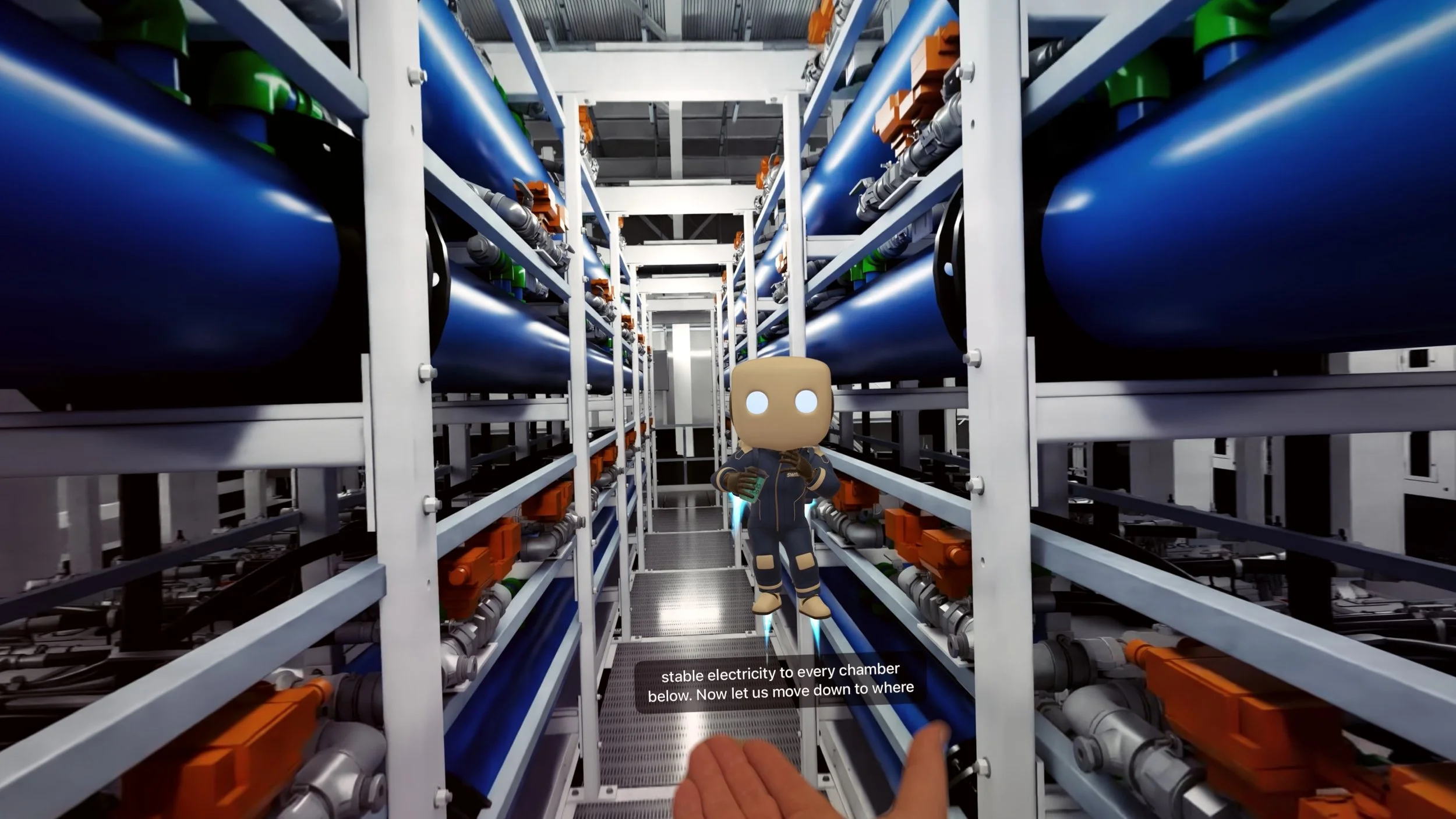
ORB is Switch's robot mascot — a small figure with a jetpack, rocket boots, and a flight suit, who guides you through the tour and hovers above your palm when you raise your hand. Unlike the data center environment, ORB renders entirely natively on the AVP rather than being part of the streamed Omniverse scene. The reason is straightforward: native rendering gives ORB direct access to the AVP's real-world understanding — hand tracking for the palm detection, face tracking so ORB can react to the user, real-world lighting so he's lit correctly by the actual environment, and spatial audio so his voice comes from exactly where he is in space. Blending a natively rendered character with a streamed environment is what makes the interaction feel grounded rather than disconnected.
The base 3D model was delivered by Switch. Everything else I built myself.
The flight suit, jetpack and rocket boots were modelled in Houdini. The thruster effects — one set for the boots, one for the jetpack — were also simulated in Houdini, but getting fire and exhaust running in real time required a different approach than a live simulation. Each thruster was rendered from two perpendicular camera angles and baked down to flipbook cards, played back as crossing billboards at runtime. This is a well-established real-time VFX technique: by crossing two billboard planes at 90 degrees, you get the illusion of a volumetric effect from any viewing angle, at a fraction of the performance cost of actual geometry or particles.
All shading was done using MaterialX and USD Preview Shaders in Houdini, exported to USD so that Reality Composer Pro could read the Houdini materials directly as a Shader Graph — keeping a clean pipeline from Houdini all the way through to the headset without rebuilding materials at any stage. Skinning and animation were built on a Mixamo base with custom modifications on top.
GTC can get loud, so we wanted to make sure everyone could follow along regardless. I used ElevenLabs to transcribe ORB's audio lines, which produced a JSON file with subtitle text and precise timing data. I then parsed that JSON in Swift to drive SwiftUI subtitle labels that float above your hand just below ORB. Getting the feel right required some care: the subtitles follow your hand position smoothly and responsively, while ORB himself moves a little slower — tilting and panning with a slight lag that makes him feel physical rather than glued to your palm. The hand tracking and smoothing operations were all written in Swift on the AVP side.
The Omniverse Action Graph
The Action Graph system is what connects the visionOS app to everything happening inside the digital twin. In Omniverse, Action Graphs are a node-based visual scripting system — similar in concept to Houdini's node graphs — that lets you define logic and behaviour without writing code for every interaction. For a project like this, where commands need to flow between a headset and a 3D environment in real time, they're a natural fit.
Commands are sent from the AVP via CloudXR into Omniverse, where Action Graph nodes pick them up and execute the corresponding actions: teleporting the user to the right location, animating doors opening, hiding the roof during the liquid cooling section, triggering the cooling flow visualisers and animations inside the EVO chambers, and sending back XYZ coordinates to the AVP so SwiftUI panels and spatial audio sources can be placed correctly in Omniverse world space. For more complex logic I wrote Python nodes directly inside the graph. I also contributed a few small 3D elements to the Omniverse scene itself to support the visual storytelling.
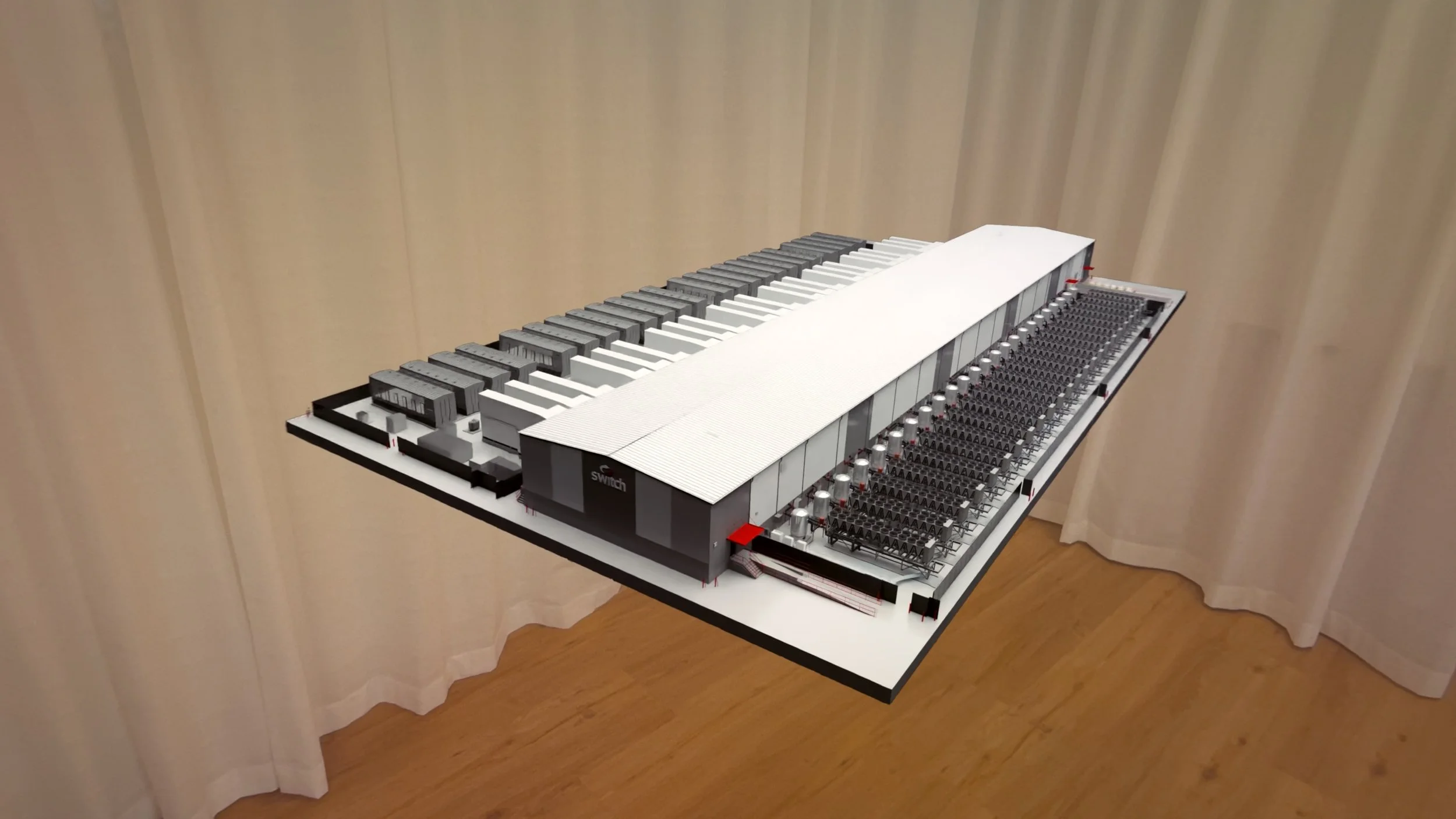
The guided tour takes you through several distinct moments: starting with a tabletop view of the entire factory — about a metre wide, sitting on a concrete slab — then teleporting to the liquid cooling pipes overhead, then into the EVO chambers where a SwiftUI video window floats in the middle of the hall. As the doors open you hear the cooling systems spatially, the audio placed from XYZ coordinates sent from Omniverse, before the GB300 hardware comes into view alongside floating telemetry panels. Then back to the tabletop to close the loop.
Locomotion compensation
One of the more interesting problems to solve was keeping the user positioned correctly across teleportations.
In a CloudXR setup, the user's physical movement in the real world accumulates independently of their position in the Omniverse scene. If someone has walked two metres to the left and turned 40 degrees before a teleportation fires, a naive implementation would land them inside a server rack facing the wrong direction. The solution was to stream locomotion data continuously from the AVP to Omniverse alongside teleportation commands, then inversely compensate for the accumulated position offset and rotation at the moment of teleport — so regardless of where the user has physically wandered, they always arrive at the right place, oriented correctly.
Foveated streaming and where this goes next
Dynamic foveated streaming works by tracking where the user is looking in real time and rendering at full resolution only in that region, while reducing resolution in the periphery where the eye won't notice the difference. For a scene the scale of a full data center, this is what makes high-fidelity streaming to a headset viable at all — without it, the bandwidth and GPU load would be unmanageable on any current hardware.
Right now the setup requires a local high-end workstation and a WiFi connection in the room. But the same architecture maps directly onto NVIDIA Omniverse Cloud, where the render workload moves off-premises entirely — making the same experience viable without a dedicated machine on site. Looking further ahead, foveated streaming is also the technology that could make experiences like this possible on much lighter hardware: compact XR glasses that look closer to regular eyewear rather than a headset. The compute stays in the cloud; the glasses just display and track. That may not be far away.
In VFX, I used to say I make explosions and robots and stuff like that. The explosion part was always true. Now thanks to this project, the robot part is too. 🚀